It's Tuesday afternoon and someone is trying to give you $220. She's organizing Thursday's team lunch for nine people, she likes your shop, and she wants to lock it in now while she's thinking about it. She opens your ordering page and finds exactly one option: ASAP, ready in about 25 minutes. There's a phone number, so she calls, gets voicemail during your rush, and by four o'clock she has booked the sandwich place down the street because their site let her pick Thursday at 11:45.
That happens more than most owners realize, and it's invisible in your reporting — there's no line item for orders that were never placed. Meanwhile the advance orders you do take arrive through the worst possible channel: a phone call scrawled on a sticky note, a Facebook message somebody saw at midnight, a text to the owner's personal phone. Each one is a promise stored outside your system. Some get forgotten. Some show up as a surprise at 11:40 on a Friday when the line is already six deep and nobody prepped for a 30-piece platter.
Turning on scheduled ordering fixes both problems at once, but only if you configure it deliberately. Switching on a date picker and hoping is how restaurants end up double-booked at noon. The rest of this is the configuration that actually holds up in service.
Future Orders Behave Nothing Like ASAP Orders
An ASAP order is a simple exchange: guest submits, kitchen makes, guest collects. A scheduled order introduces a gap — hours or days — and everything difficult lives inside that gap.
- Capacity has to be reserved, not just consumed. A noon slot with four scheduled orders already in it has less room for walk-ins than the same slot last Tuesday.
- Purchasing depends on it. Tomorrow's confirmed orders should influence tonight's order guide. If they're invisible, you 86 the item you already sold.
- The menu can change underneath the order. A dish ordered eight days ago at last month's price is a small problem you'd rather cap than negotiate.
- The guest's expectation is exact. "About 25 minutes" is a range. "11:45" is a commitment, and people schedule their day around it.
So the goal isn't just to accept a future date. It's to accept only the future orders you can actually deliver, and to make them visible early enough to plan around.
Setting Lead Times per Item, Not per Restaurant
Here's the mistake that quietly kills the feature. An owner knows the party tray needs a day's notice, so they set a 24-hour lead time — on the whole menu. Now the guest who wanted two burritos at 1pm tomorrow is told the earliest available time is the day after. The feature meant to capture more orders is turning them away.
Lead time belongs on the item. A sensible starting map:
| Item type | Lead time | Why |
|---|---|---|
| Standard entrées, sandwiches, bowls | 30–45 min | Normal cook time plus a buffer |
| Pizza, wings, fried items in volume (10+) | 2–3 hours | Fryer and oven capacity is the constraint |
| Party trays, platters, boxed lunches | 24 hours | Prep labor and packaging on hand |
| Smoked, braised, or whole-roast items | 48–72 hours | Cook cycle can't be compressed |
| Custom cakes and special-order proteins | 72 hours+ | Requires purchasing |
When a cart mixes categories, the longest lead time in the cart governs the earliest available slot. Guests understand this instantly if the interface explains it — "earliest pickup for this order is tomorrow at 11:00 because of the party tray" — and get frustrated when it silently greys out times with no reason given.
Slot Capacity: The Setting That Prevents Disasters
Now the single most important number in advance ordering. Left uncapped, a scheduling feature will happily sell eleven orders for 12:15 on a Saturday because software has no opinion about what your kitchen can do.
Decide, per 15-minute window, how much scheduled volume you can absorb on top of your normal walk-in and dine-in load. Express it however you actually think — number of orders, number of entrées, or dollars — and vary it by daypart:
- Slow mid-afternoon: generous caps. This is free capacity you'd like to fill.
- Lunch and dinner peak: tight caps. Scheduled orders compete directly with your busiest in-house service.
- Just before close: effectively zero, plus a hard cutoff, so nobody schedules a pickup for two minutes after the doors lock.
When a slot fills, the system should simply present the next available time rather than accepting the order and hoping. Guests accept "12:30 is the earliest today" without complaint. They do not accept a 12:15 promise delivered at 12:50. This is the same discipline as everyday order throttling during a rush, applied a day or a week earlier.
Cutoffs, Horizons, and the Calendar
Three more settings round out the configuration, and each answers a question a guest will eventually ask.
- Ordering horizon. How far out can guests book? Seven days is the sweet spot for most restaurants — long enough for next week's meeting, short enough that your menu and prices stay current. Push anything beyond fourteen days into a catering flow with human confirmation.
- Daily cutoff for next-day items. If a tray needs 24 hours, define what that means: "order by 3pm for next-day pickup" is unambiguous, whereas a rolling 24-hour clock lets someone place a tray order at 11:58pm for noon tomorrow.
- Blackout dates and modified hours. Holidays, private events, the week the hood is being serviced. Every closure must be reflected in the scheduler before someone books into it. A guest holding a confirmed order for a day you're closed is a genuinely bad experience and an avoidable one.
Put a recurring reminder on the manager's calendar to update blackout dates monthly. This is the maintenance step that gets skipped, and it produces the worst failures.
Making Tomorrow Visible Today
Configuration handles what you accept. The other half is what the kitchen sees, and it's where most implementations fall down. Two separate things need to happen, and doing only one of them is the classic failure mode.
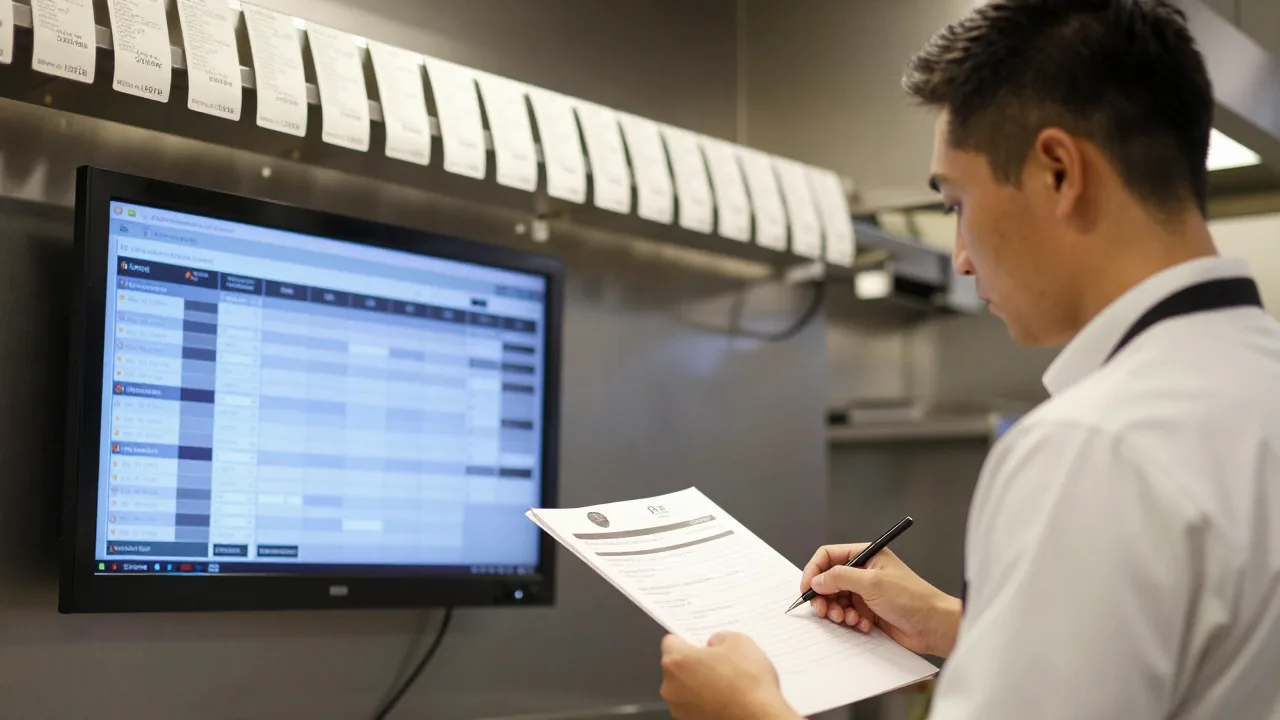
First, fire at prep time, not at submission. A ticket for Thursday 11:45 should reach the line at Thursday 11:20 — scheduled time minus expected cook time — not appear on Tuesday afternoon where it clutters the rail and gets bumped by mistake. If your display can't schedule ticket release, that capability is worth prioritizing; the logic is covered in our overview of how a kitchen display system sequences tickets.
Second, produce a prep sheet the day before. Every evening, someone should be able to see tomorrow's confirmed scheduled orders in one view: totals by item, the times they're due, and any large orders flagged. That sheet drives purchasing, morning prep, and scheduling. Without it, you get a $400 tray order landing as a surprise ticket at 11:40 — technically the system worked, operationally it failed.
Large advance orders in particular sit close to catering, and the handoff between "big scheduled order" and "catering job" should be deliberate rather than accidental; our guide to taking catering orders online covers where that line belongs.
Payment, Deposits, and No-Shows
A scheduled order carries real risk that an ASAP order doesn't: you can produce it and have nobody collect it. The clean solution for online scheduled orders is full payment at the time of ordering. The guest is already on a payment screen, and it eliminates no-show loss entirely.
For very large orders, or when a guest genuinely needs to finalize headcount later, take a deposit of 25 to 50 percent with a stated cancellation window — typically 24 hours for trays, 48 for anything requiring special purchasing. Whatever you choose, publish it on the ordering page and repeat it in the confirmation email and reminder text. Policies that only exist in the manager's head produce arguments; policies the guest already read produce shrugs.
Example scenario: Corner Deli & Provisions
Illustrative scenario — a composite example built to show how the numbers work. It does not describe a real business or customer.
Corner Deli took advance orders by phone only, logged on a paper pad by the register. Two forgotten orders in one month — one a $310 boxed-lunch job — pushed the owner to turn on scheduled online ordering with per-item lead times, a cap of four scheduled orders per 15-minute slot at lunch, and full payment up front. Tomorrow's orders started printing on a prep sheet at close. Within three months scheduled orders grew to 22 percent of off-premise volume at a $71 average ticket versus $29 for ASAP orders, forgotten orders went to zero, and the kitchen reported the lunch rush felt calmer because a quarter of the volume was already prepped by 10:30. "We didn't add customers," the owner said. "We stopped losing the ones who wanted to plan ahead."
A Two-Week Rollout
- Days 1–3: map lead times. Walk the menu with your kitchen manager and assign a lead time to every item. Flag which items should be tray-only or unavailable for scheduling.
- Days 4–5: set caps and hours. Define slot capacity per daypart, the ordering horizon, the daily cutoff, and every known blackout date for the next quarter.
- Days 6–8: wire the kitchen view. Configure timed ticket release and build the nightly prep sheet. Test with a fake order scheduled for the next morning and confirm it appears where it should, when it should.
- Days 9–10: soft launch. Enable scheduling for pickup only, 48-hour horizon, and take a handful of real orders. Watch what breaks.
- Days 11–14: open up and promote. Extend to seven days, then tell people — a homepage banner, a line in the order confirmation, a counter sign, one social post. There's no revenue in a feature nobody knows exists, and the tactics in this rundown of ways to promote an online ordering site apply directly.
If you're setting up ordering from scratch rather than adding scheduling to an existing channel, work through the fundamentals first — this step-by-step ordering setup walkthrough covers the base configuration that scheduling sits on top of.
Five Mistakes That Undo the Whole Feature
- One lead time for the entire menu. Blocks simple orders to protect complicated ones. Set it per item.
- No slot caps. The system will cheerfully oversell your busiest fifteen minutes, and the guests who suffer are the ones who planned ahead.
- Tickets printing at submission. Days-early tickets get bumped, buried, or thrown away. Fire at prep time.
- No prep sheet. Advance orders that only surface as tickets give you none of the planning benefit that made them worth taking.
- Stale blackout dates. A confirmed order for a day you're closed erases whatever goodwill the feature earned. Update the calendar monthly, without exception.
Read that list again and the theme is obvious: scheduled ordering is less a software feature than a small operating system for the future. The software accepts the order; your lead times decide what's honest, your caps decide what's survivable, and your prep sheet decides whether tomorrow arrives as a plan or a surprise. Restaurants that treat all four as one system find that advance orders become the calmest, highest-ticket volume they run — and the guest who wanted Thursday at 11:45 stops calling the sandwich shop down the street. The rest of the operational picture, from batching to staging, is in our notes on order fulfillment best practices.
Take Tomorrow's Orders Today
Scheduled ordering works when lead times, slot capacity, timed kitchen tickets, and the prep sheet all live in the same system — no sticky notes, no double-booked noon slots. See how restaurants run advance pickup, delivery, and catering on KwickOS.
Get Started Free — Join 5,000+ Restaurants →Frequently Asked Questions
How far ahead should a restaurant let guests schedule an order?
Seven days covers almost every ordinary use case — office lunches, family dinners, weekend pickups — and keeps your menu and pricing reasonably current. Fourteen days is reasonable if you take frequent small-group orders. Beyond two weeks, route the request into a catering or large-order flow with a human confirmation, because menus change, staffing changes, and a 30-day-old online order is a promise you may not be able to keep at the price quoted.
What lead time should I require for scheduled orders?
Set lead time by what the item actually needs, not by one blanket rule. A standard pickup order can usually accept a 30 to 45 minute lead. Party trays and platters commonly need 24 hours. Smoked or braised items and whole roasts may need 48 to 72. The mistake is applying the longest lead time across the whole menu, which quietly blocks a guest who only wanted two sandwiches at noon tomorrow.
How do I stop scheduled orders from overwhelming a rush?
Cap capacity per time slot rather than per day. Decide how many orders or how many dollars your kitchen can absorb in each 15-minute window on top of walk-in and dine-in volume, and have the ordering system close a slot once it hits that number. Guests then see the next available time instead of a promise you cannot keep. Slot caps are the single most important setting in advance ordering and the one most often left off.
Should I take a deposit on large future orders?
For anything above roughly $150 or any order requiring special purchasing, yes. Full payment at the time of ordering is the cleanest approach for online scheduled orders because it eliminates no-show loss entirely and the guest is already at a payment screen. If you prefer a deposit, 25 to 50 percent with a stated cancellation window is standard. Publish the policy on the order page and repeat it in the confirmation, so nobody is surprised later.
How do scheduled orders reach the kitchen at the right time?
Two things have to happen. The order should fire to the kitchen display or printer at prep time — its scheduled time minus the expected cook time — not at the moment the guest submits it. Separately, tomorrow's confirmed orders should appear on a prep sheet the night before, so purchasing and morning prep account for them. Without the prep view you get the classic failure: a $400 tray order that nobody knew about until the ticket printed at 11:40.
KwickOS Ecosystem
© 2024-2026 KwickOS. All rights reserved.